Business Name or Address Changed: What Happens to Your Virtual Tour?
A name change, a move to a new address, a category update. Which ones affect your tour, and which ones need no action at all?

Use the buttons below to get an AI summary of this article.
Business Name or Address Changed: What Happens to Your Virtual Tour?
Businesses change. Names are updated, brands change, businesses move to bigger spaces, and categories are updated.
Not all of these changes affect a virtual tour the same way. Some require nothing at all; others mean a new shoot.
The basic rule
A virtual tour is tied to the physical space, not to the business's information.
This one sentence solves most problems:
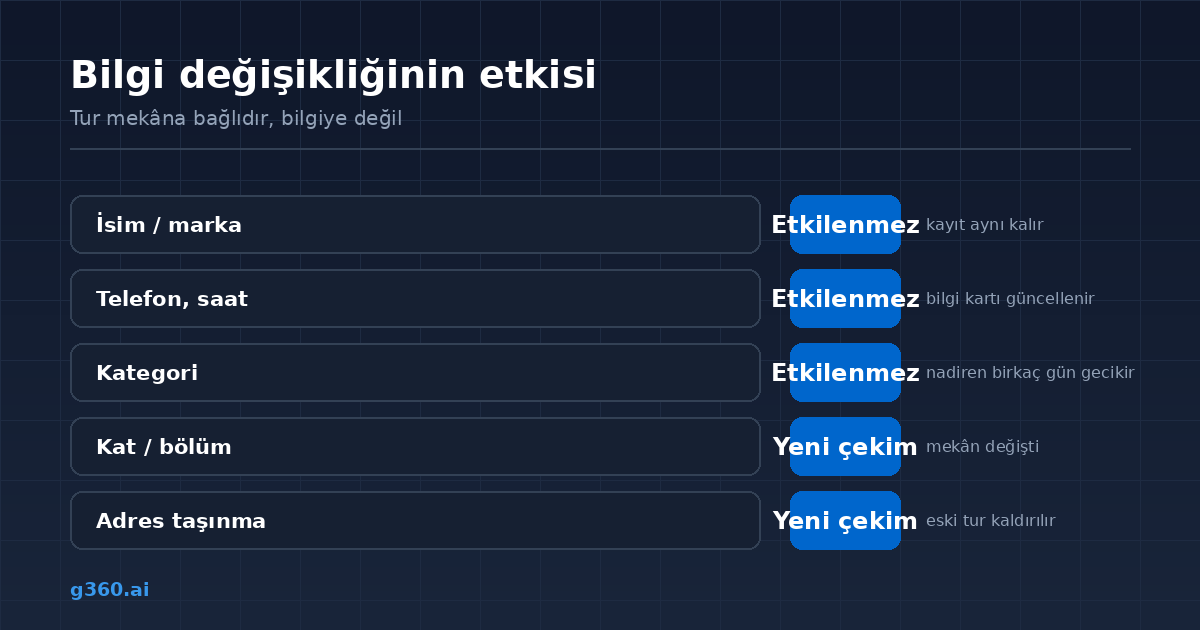
- Same space, changed information → the tour is not affected
- Changed space → a new shoot is needed
Name change: you do not need to do anything
This is the most frequently asked question, and it has the most reassuring answer.
A virtual tour is linked to the Google Business listing, not to the listing's name. When you change your name, the listing stays the same, so the tour stays in place too.
It is worth doing just one check: if the tour includes an info card or a logo showing the business name, that gets updated. This is a simple edit that does not require a shoot.
Address change: a new shoot is needed
Let us be clear here: the existing tour cannot be moved.
A virtual tour is an image of the space where it was shot. Your new address is a completely different space; the old tour would now give wrong information.
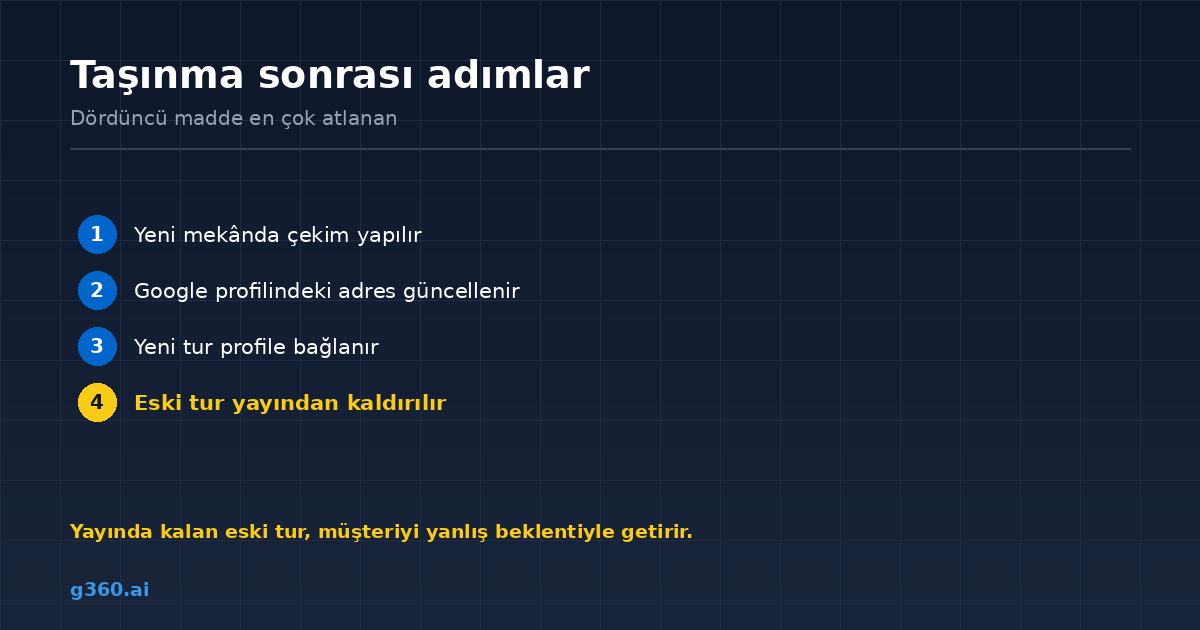
What to do after a move:
- A shoot is done at the new venue
- The address on the Google Business Profile is updated
- The new tour is linked to the profile
- The old tour is taken down
Do not skip the fourth step. An old tour left online brings customers to the new venue with the wrong expectations, which is worse than having no tour at all.
Changing floors or units in the same building
On paper, the address stays the same, but the space is different. In this case too, a new shoot is needed.
The good news is this: since the address does not change, the steps on the Google side are simpler. Replacing the old tour with the new one is enough.
Category change
When you change the category on your Google Business Profile, the tour is usually not affected.
Rarely, this happens: after a category change, Google reviews the profile again and the tour may not appear for a few days. It fixes itself. If it stays hidden for longer, follow the steps in our tour not showing on Google guide.
If the business changes hands
When a Google Business Profile is transferred, the tour stays with the profile, and the new owner continues to see it.
There is one point to note here: the tour's usage rights are subject to the agreement between the company that did the shoot and the business. In the case of a transfer, it is best to contact the company that produced the tour.
If you open a new branch
Each branch is a separate business listing on Google and needs its own tour. The main branch's tour cannot be used for another branch.
This is also the right approach from the customer's point of view: they want to see the branch they will visit, not a different one.
Businesses with several branches usually have them shot one after another; since the scene logic is the same, the process moves quickly.
Summary table
| Change | New shoot? |
|---|---|
| Name / brand | No |
| Phone, hours | No |
| Category | No |
| Menu, prices | No |
| Renovation (partial) | Only that section |
| Floor / unit change | Yes |
| Moving to a new address | Yes |
| New branch | Yes (separate tour) |
If your situation is not clear from the table, we can review your current tour and work out together what is needed. The full update logic is in our virtual tour updates guide.
Frequently Asked Questions
The tour is not affected. A virtual tour is linked to the business listing, not to the name. After a name change, the tour continues to appear on the same profile.
No. A virtual tour shows the physical space where it was shot; a new address needs a new shoot. The old tour should be taken down.
Yes, because the space has physically changed. However, since the address stays the same, the linking steps on the Google side are simpler.
Usually not. Rarely, Google reviews the profile again after a category change, and the tour may take a few days to appear.
When the Google Business Profile is transferred, the tour stays with the profile. However, the company that produced the tour should be contacted about its usage rights.
If this information is shown inside the tour as an info card, it is updated; no shoot is needed.
The tour may not appear while the profile is temporarily closed. It usually comes back when the profile reopens; if it does not, it needs to be linked again.
No. Each branch is a separate business listing and needs its own tour.
A Professional Virtual Tour for Your Business
Give your customers an unforgettable experience with a 360° virtual tour.
Get a Free Quote