My Virtual Tour Isn't Showing on Google Maps: 8 Reasons
The tour was shot, but it's not on Google. Profile verification, certification, a matching error or the waiting period: find the cause by ruling them out one by one.
Use the buttons below to get an AI summary of this article.
My Virtual Tour Isn't Showing on Google Maps: 8 Reasons
The tour has been shot and delivered, and its link works. But when you search for your business on Google, there is no "See Inside" option.
This is the most common problem after a virtual tour. The cause is usually a single, simple one, but to find out which one it is, you need to rule them out in order.
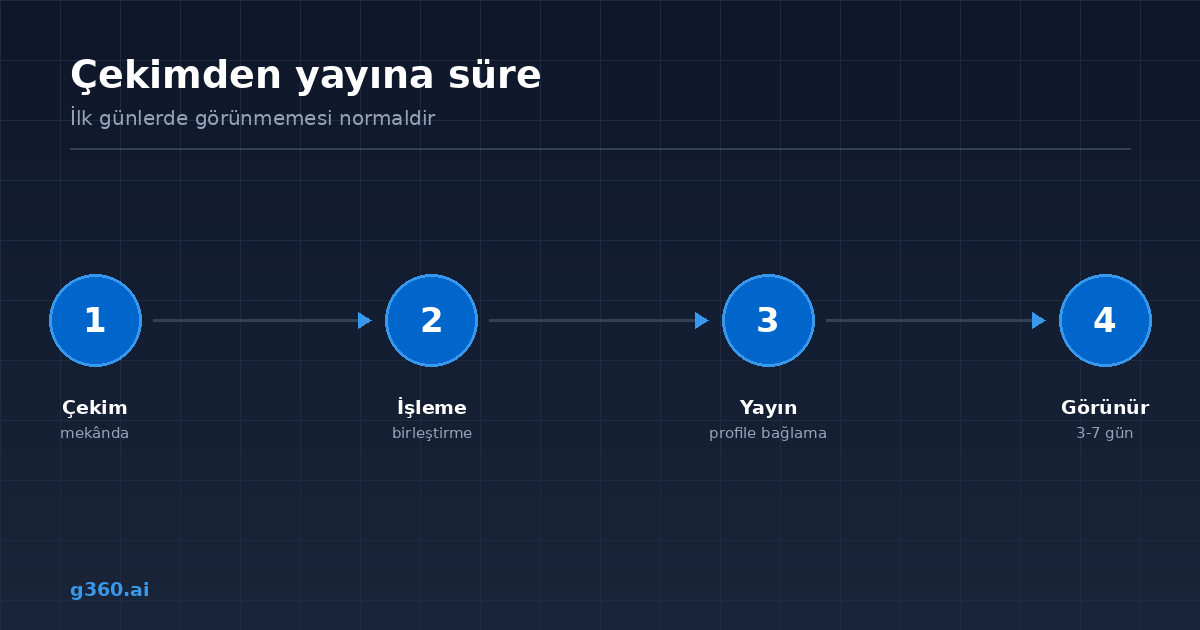
Wait first: 3-7 days is normal
The most common mistake is checking the day after the shoot and panicking.
After the tour is published, it takes time for Google to re-evaluate the business profile. A few days, sometimes a week. It is normal for the tour not to appear during this period.
If a week has passed, move on to the list below.
1. Your business profile may not be verified
This is the most common cause. For the virtual tour to be connected, your Google Business Profile must be verified.
Check: search for your business on Google. If the profile card appears but you see the text "Own this business?", the profile does not belong to you yet.
2. The company that did the shoot is not certified
For a virtual tour to be integrated into Google Maps, the shoot must be done by a Google Street View Trusted certified producer.
A tour shot without certification may be technically flawless and may even look great, but it cannot be connected to a Google Business Profile. It can only be shared as a separate link.
This is the first question to ask when getting a quote. We cover the topic in our Google Street View business tour guide.
3. The tour was connected to the wrong business listing
If there is more than one business listing at the same address, or if your business's name resembles another one, the tour may have been connected to the wrong listing.
In that case, the tour is on Google, but not on your profile. The fix is to redo the matching using the correct listing's identifier (Place ID).
4. There is a link but no integration
It is important to tell these two apart: being able to open the tour from a link and the tour appearing on Google Maps are different things.
The first shows that the tour is live. The second is a separate integration step that has to be carried out. Most "it's not showing" complaints actually come down to this distinction.
5. The profile was closed and reopened
When a business profile is temporarily closed and then reopened, connected content can become detached. The same thing can happen after an address change or a category change.
In that case, the tour needs to be reconnected; no reshoot is needed.
6. Cache differences
Sometimes the tour appears on mobile but not on desktop, or the other way around. This is usually a temporary cache difference.
How to check: look in a different browser or in an incognito tab. It syncs up on its own within a few days.
7. The business category is not suitable
This is rare, but possible. Some business categories do not support indoor tours. If the category was not chosen correctly, the tour's visibility can be affected.
8. A delay or review on Google's side
Google sometimes puts new content under review. The wait can be longer, especially if the profile was created recently or if many changes were made in a short time.
How do you check, step by step?
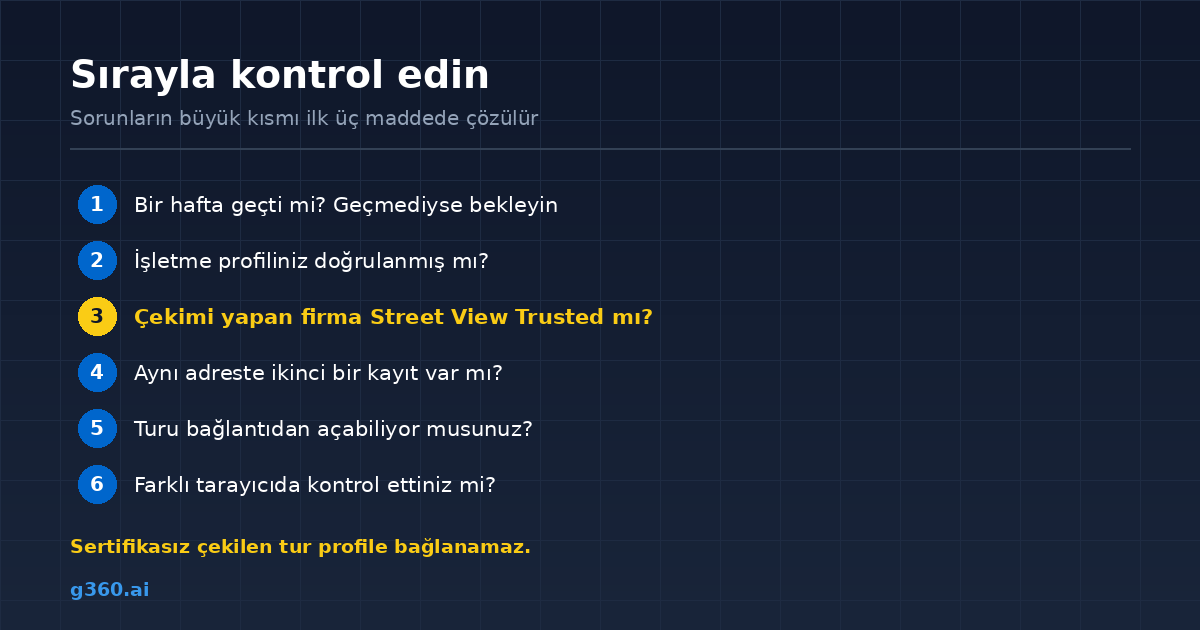
- Has a week passed? If not, wait.
- Is your profile verified?
- Is the company that did the shoot Google Street View Trusted?
- Is there a second listing on Google at the same address?
- Can you open the tour from a link? If you can, the problem is in the integration.
- Have you checked in a different browser?
These six steps solve most problems.
If you can't solve it yourself
Connection and matching are handled on the producer's side; business owners cannot change them from their own dashboard. That is why the place to get it fixed is the company that shot the tour.
All 1,600+ tours in our archive were produced through the Google Street View Trusted workflow and published on Google Maps; the integration process is included in our service.
We explain how things work on Google's side in our guide on showing the inside of your business on Google Maps.
Frequently Asked Questions
It usually appears within a few days of publishing. Because it takes time for Google to re-evaluate the business profile, it can take up to a week.
No. For a virtual tour to be connected to the profile, your Google Business Profile must be verified and owned by you.
First check your profile verification, then check that the company that shot the tour has Google Street View Trusted certification. Tours shot without certification cannot be connected to a profile.
It's possible. If there are several listings at the same address or with similar names, the tour may have been connected to the wrong listing. The matching is checked against the correct listing's Place ID.
It means the tour is live but has not been connected to the profile. A tour opened from a link and a tour integrated into Google Maps are different things.
When a profile is closed and reopened, the connection can break. In that case, the tour needs to be reconnected to the new profile.
It may be a temporary cache difference. Check in a different browser or an incognito tab; it syncs up within a few days.
Contact the company that shot the tour. Connection and matching are handled on the producer's side and cannot be changed by the business owner.
A Professional Virtual Tour for Your Business
Give your customers an unforgettable experience with a 360° virtual tour.
Get a Free Quote