How to Choose a Virtual Tour Company: 8 Questions to Ask
Why do virtual tour companies quote such different prices, how should you judge a sample tour, and what does Google Street View Trusted certification really guarantee? A buyer's guide from inside the industry.
Use the buttons below to get an AI summary of this article.
How to Choose a Virtual Tour Company
You've decided to get a virtual tour. When you search, dozens of companies come up, they all say similar things, and their prices are wildly different. How do you know which one to trust?
This guide was written from inside the industry. Its goal isn't to steer you toward any one company but to show you which questions to ask and how to judge the answers.
First, know this: there are two different services
Two quite different services are sold under the "virtual tour" label, and most of the confusion comes from this.
Google Street View publishing. The 360° images are uploaded to Google's infrastructure and appear on Google Maps and your Business Profile. The upside: it gives you visibility on the map, there are no hosting fees, and it is built into Google search results. The limit: the look is restricted to Google's interface and can't be customized.
Custom tour software. The images are stitched together in standalone software (such as krpano, Pannellum or Matterport). The upside: you can add your own logo, info points, a menu, product tags and background music. The limit: it doesn't appear on Google Maps automatically, and it needs separate hosting.
Some companies do both, and for most businesses that's the best solution: visibility on the Google side and a rich experience on your own website.
When you get a quote, make it clear which one you're getting. Most of the price difference often comes down to this.
What does Google Street View Trusted certification mean?
Google runs a verification program for photographers who produce 360° content. Creators who have published a certain number of approved images and meet its quality criteria earn this status.
Know both what this certification guarantees and what it doesn't:
It does guarantee: That the company can publish directly to Google, has produced approved work before and meets the technical criteria.
It doesn't guarantee: Aesthetic quality, customer communication or delivery speed. A certified company can still do poor work.
In other words, the certification is a first screening criterion, not a reason to decide on its own.
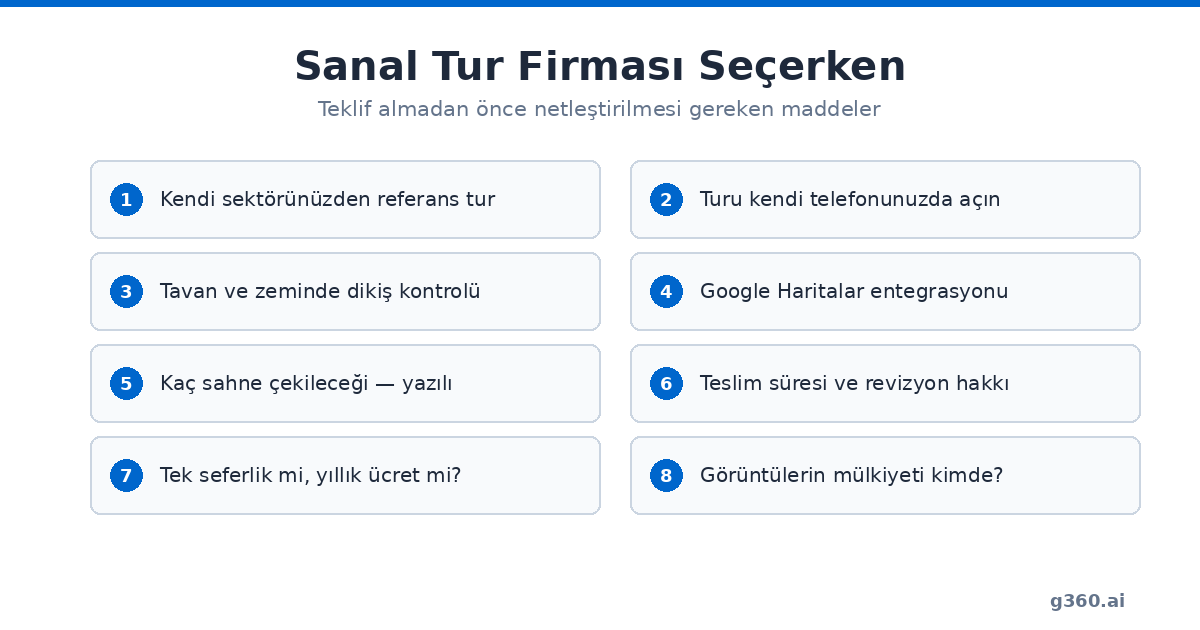
8 things to check
1. Ask for references from your own industry
This is the most important point. Shooting a jewelry store and shooting a hotel are not the same job. At a jewelry store, display lighting and managing reflections make the difference; at a hotel, it's how the flow between spaces is planned and whether the amenities are shown in the right order.
Asking "Do you have references?" isn't enough. Ask "Can you open and show me a tour you shot in my industry?"
2. Open the tour on your phone
Open the sample tour the company sends you on your own phone, not on a computer. Most of your visitors will be looking on their phones.
What to check: How many seconds does it take to load? Is turning it with your finger smooth? Does it stutter when moving between scenes? Is the text readable?
3. Take a close look at image quality
When you open the tour, look at the ceiling and the floor. These are the spots where stitching most often goes wrong. Is there a tripod mark left on the floor? Are there breaks in the ceiling?
Then zoom in on some text, such as a sign, a menu or a price list. If you can read it, the resolution is good enough.
4. Get clarity on Google integration
The question to ask is: "Will the tour appear on Google Maps, or will it only go on my website?"
If it will appear, the second question is: "Will it be connected to my Google Business Profile?" Simply "uploading" it isn't enough; the tour has to be linked to your profile. Otherwise, someone searching for your business won't see it.
5. Get the scope in writing
A verbal "we'll shoot everywhere" isn't measurable. Ask in writing how many scenes will be shot and which areas are included. If you aren't familiar with how scenes work, we explain it in detail in our pricing guide.
6. Delivery time and revisions
Agree up front on how many days after the shoot the tour will be delivered and how many revisions you get. A quote with no revisions means you could be stuck with a result you don't like.
7. Payment structure
One-time or yearly? Tours published on Google Maps are hosted on Google's infrastructure, so there should be no yearly fee. Tours built with custom software may have hosting costs; in that case, find out the yearly amount up front.
8. Who keeps your business's data?
Who owns the raw images and the tour itself? If you part ways with the company, will the tour stay online? Very few businesses ask this, but it's an issue that causes problems later.
Red flags
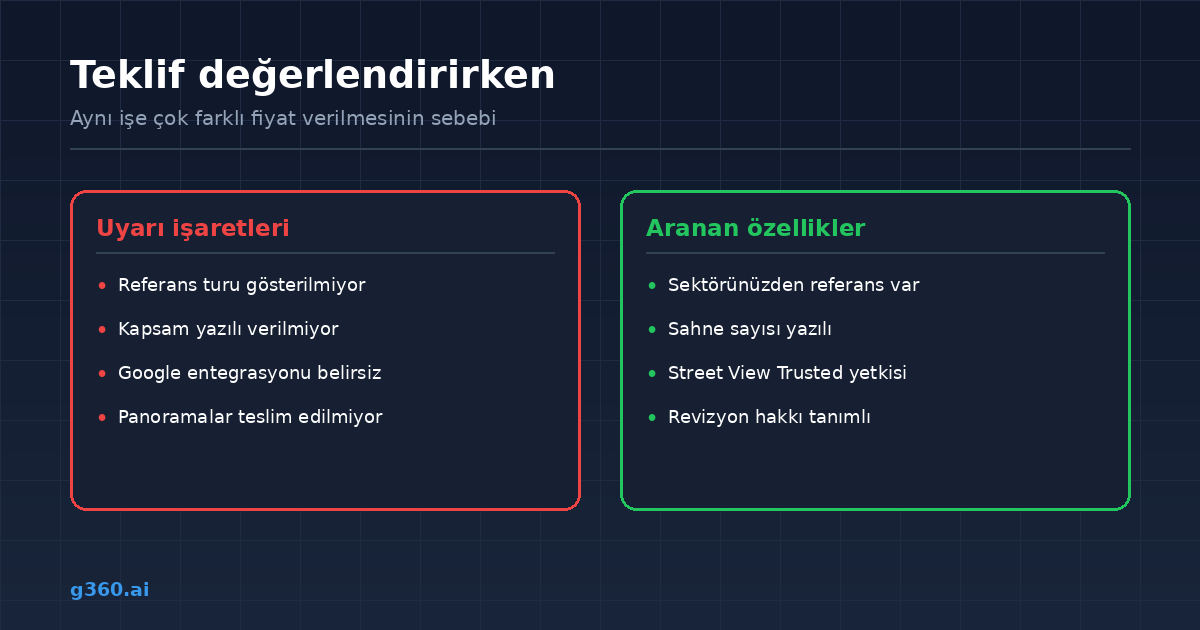
Be cautious if you run into any of these:
- A firm price without seeing the space. A firm figure given before the number of scenes is known is either too high, or the scope shrinks later.
- Reluctance to show references. A company that does good work has work to show.
- Talking only about equipment brands. The camera model alone doesn't determine the result; light management and processing quality matter more.
- Brushing off Google integration. "We'll take care of it" isn't a good enough answer.
- Numerical claims without a source. Statements like "your sales will go up 40%" can't be verified.
Where does the price difference come from?
If quotes for the same job differ significantly, the reason is usually one of these:
| Reason | How to tell |
|---|---|
| Different number of scenes | Ask how many scenes there are |
| Google integration not included | Ask directly |
| No exterior shot | The tour won't be connected to the map |
| Image processing skipped | Look at the ceiling and floor |
| There is a yearly fee | Ask about the payment structure |
| Travel costs | Normal if they're coming from another city |
The cheapest quote is often the one with the narrowest scope. Compare quotes not on price but on scope per scene.
Making your decision
Get quotes from three companies, ask all three for a sample tour from your own industry, and open all three tours on your phone. The difference usually becomes clear at this step.
You can see the city and industry breakdown of the tours we've shot across Turkey on our portfolio pages, and industry distribution data in our data report.
Frequently Asked Questions
References from your own industry. Shooting a jewelry store and shooting a hotel are different jobs. Ask the company to open and show you a tour it shot in your industry, and check that tour on your own phone.
It is a verification program Google runs for creators of 360° content. It shows that the company can publish directly to Google and meets the technical criteria. However, it doesn't guarantee aesthetic quality or customer communication; treat it as a first screening criterion.
A Street View tour is hosted on Google's infrastructure, appears on Google Maps and your Business Profile, and has no hosting fee, but it can't be customized. A tour built with custom software can include add-ons such as a logo, info points and a menu, but it doesn't appear on Google Maps automatically. For most businesses, doing both is the best solution.
The most common reasons are: a different number of scenes, whether Google integration is included, whether exterior shots are taken, image processing quality, yearly hosting fees and travel costs. Compare quotes on scope, not on price.
Open the tour on your own phone. Check the loading time, how smoothly it turns and the transitions between scenes. For image quality, look at the ceiling and floor; stitching errors and tripod marks show up there. Zoom in on a sign or menu and check that the text is readable.
Just uploading the tour isn't enough; it has to be linked to your Business Profile. Otherwise, someone searching for your business on Google won't see the tour, and you lose the biggest benefit of a virtual tour: visibility on the map.
Tours published on Google Maps are hosted on Google's infrastructure, so there should be no yearly fee. Tours built with custom software may have hosting costs; in that case, settle the yearly amount up front.
Be cautious of companies that give a firm price without seeing the space, avoid showing references, talk only about camera brands, brush off Google integration or make numerical claims without a source.
At least three. Ask all three for a sample tour from your own industry and open each one on your own phone. The difference usually becomes clear at this step.
Ask this before signing the contract. Ownership of the raw images and the tour, and whether the tour stays online if you part ways with the company, should be clear from the start. It's rarely asked but can cause problems later.
A Professional Virtual Tour for Your Business
Give your customers an unforgettable experience with a 360° virtual tour.
Get a Free Quote