Virtual Tours for Stores: Turning Your Aisles into a Shop Window
The method from 125 store shoots: showing product range, making the aisle layout easy to read, and letting customers walk through the store before they visit.

Use the buttons below to get an AI summary of this article.
Virtual Tours for Stores: Turning Your Aisles into a Shop Window
Before heading to a store, the question on the customer's mind is: do they have what I am looking for, or will the trip be wasted?
A website does not fully answer this. A product list tells you what is in stock, but it does not show the store's scale, the range of products, or the layout. Customers want to know: "Is this a big place or a small shop?"
Our archive includes 125 stores in 30 provinces and 58 districts. Their average Google rating is 4.26, and together they have collected 22,475 reviews. Six of these stores have more than 1,000 reviews each.
What does a virtual tour solve for a store?
In retail, the main job of a virtual tour is not presenting products but giving a sense of scale and range.
A photo shows a single shelf. Customers do not know what is behind that shelf. When the tour opens, the depth of the store, the number of aisles, and the density of products are clear at a glance.
This is especially decisive when:
- A customer from out of town is deciding whether to make the trip
- Shoppers are comparing stores before a big purchase
- A customer wants to know whether a specific product group is available
Which aisles are shot?
The rule is simple: every area that looks different from the others is shot; repeating areas are not.
Shot:
- The entrance and the inside of the shop window
- Main aisle groups (one scene for each product category)
- Checkout and information desk
- Fitting rooms, display corners, or demo areas
- Upper floor, warehouse display, or service point if there is one
Not shot:
- Repeating shelves of the same product
- Staff areas and the inside of the storeroom
- Cameras, security, and details behind the checkout
Shooting three identical-looking shelves separately makes the tour longer and tires the visitor. The goal is not to cover every inch of the space but to build an easy-to-follow route.
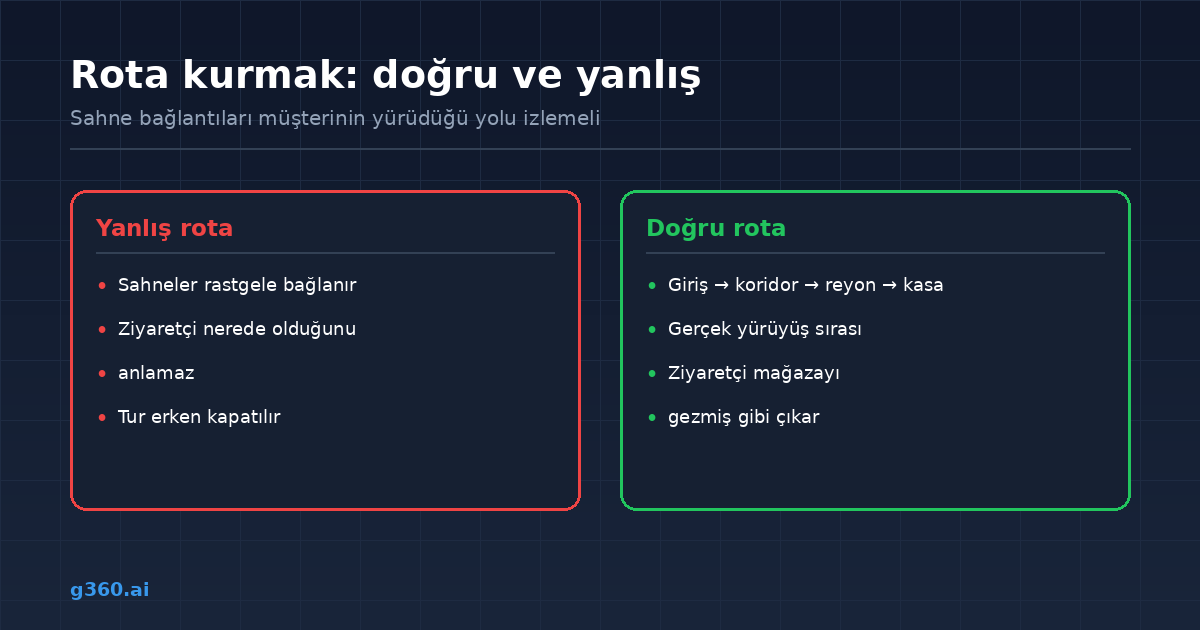
Building a navigation route
In store tours, scene links should follow the path a customer would actually walk: entrance → main aisle → departments → checkout.
When the route is illogical, visitors get lost and close the tour. When it is built correctly, they leave feeling as if they have really walked through the store.
That is why we walk through the store once before the shoot and choose the scene points accordingly.
Are price tags a problem?
Shelf labels can appear in the frame. If you are in an industry where prices change often, there are two options:
- Use a shooting distance at which the labels cannot be read
- Accept that prices will change and keep the tour for information purposes
Most stores choose the second, because customers get information about range from the tour, not prices. Still, in industries where prices are a sensitive issue, the first method is preferred.
Linking the tour to sales
A store tour goes beyond promotion through the links placed inside it:
- From an aisle to the e-commerce category
- From a display product to the product page
- From the checkout area to contact details and opening hours
- From the entrance to a directions link
This way, the tour becomes a bridge between the store and online sales.
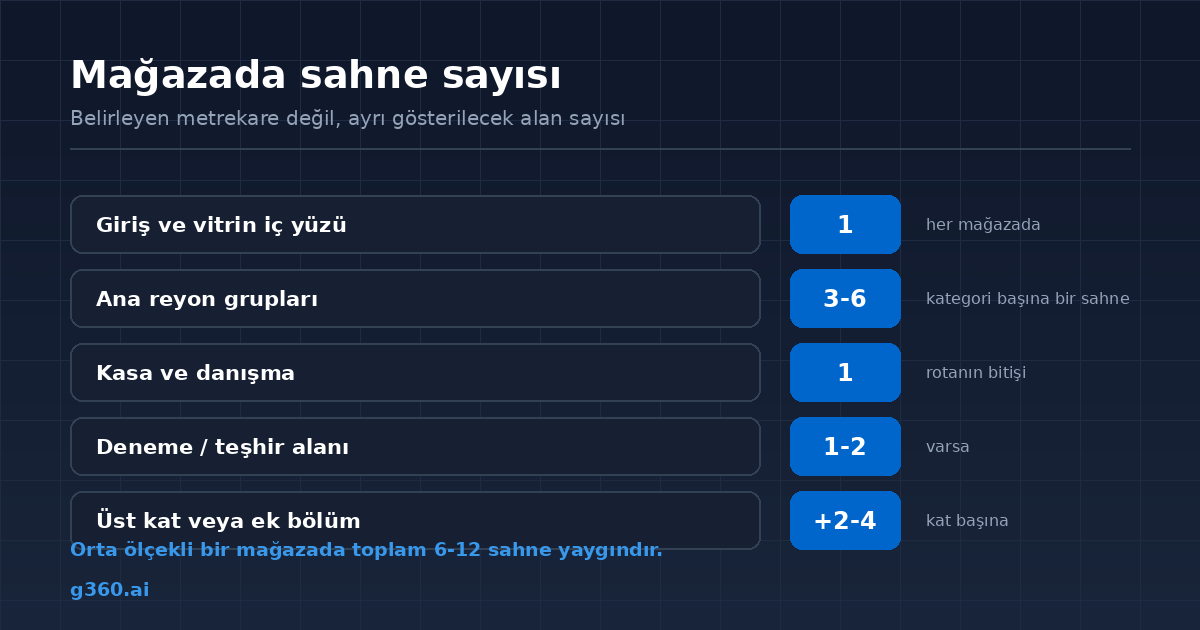
How many scenes?
For a mid-sized store, 6-12 scenes is common. Multi-story showrooms need extra scenes for each floor.
What decides it is not square meters but the number of areas that need to be shown separately. A large but uniform warehouse store may need fewer scenes than a small boutique with many sections.
For a detailed calculation, see our virtual tour pricing guide.
In short
A store virtual tour moves your shop window from the sidewalk to the internet. Customers see the store's scale, layout, and range before they come, and when they arrive, they know what they will find.
You can browse our store portfolio and our furniture store guide.
Frequently Asked Questions
Customers see the product range and the size of the store before they come. It reduces the uncertainty about whether the product they want is available.
Aisles that look different from each other are shot. For repeating shelves of the same product group, one scene is enough.
Since customers and staff should not appear in the frame, shooting before opening or after closing is usually preferred.
Shelf labels may appear in the frame. If prices change often, a shooting distance at which the labels cannot be read is preferred.
For a mid-sized store, 6-12 scenes is common. The number goes up for multi-story or large showrooms.
Yes. Points placed inside the tour can direct visitors to an e-commerce page, a catalog, or a contact form.
As long as the store layout stays the same, the tour remains valid. It is updated after a concept change or a renovation.
Yes. In small stores, a tour conveys product range and layout more accurately than a photo.
A Professional Virtual Tour for Your Business
Give your customers an unforgettable experience with a 360° virtual tour.
Get a Free Quote