How to Use Hotspots and Info Cards in a Virtual Tour
Hotspots are what turn a tour from an explorable gallery into a useful tool. Where should they go, how many should you use, what information should you add, and when is it too much?
Use the buttons below to get an AI summary of this article.
How to Use Hotspots and Info Cards in a Virtual Tour
Once a virtual tour is shot, you have a space people can explore. But on its own, the tour is just a gallery: visitors look, turn around, and leave.
What turns the tour into a useful tool is hotspots.
What is a hotspot?
A hotspot is a clickable point inside the tour. It appears on screen as a small icon, and something happens when it is clicked.
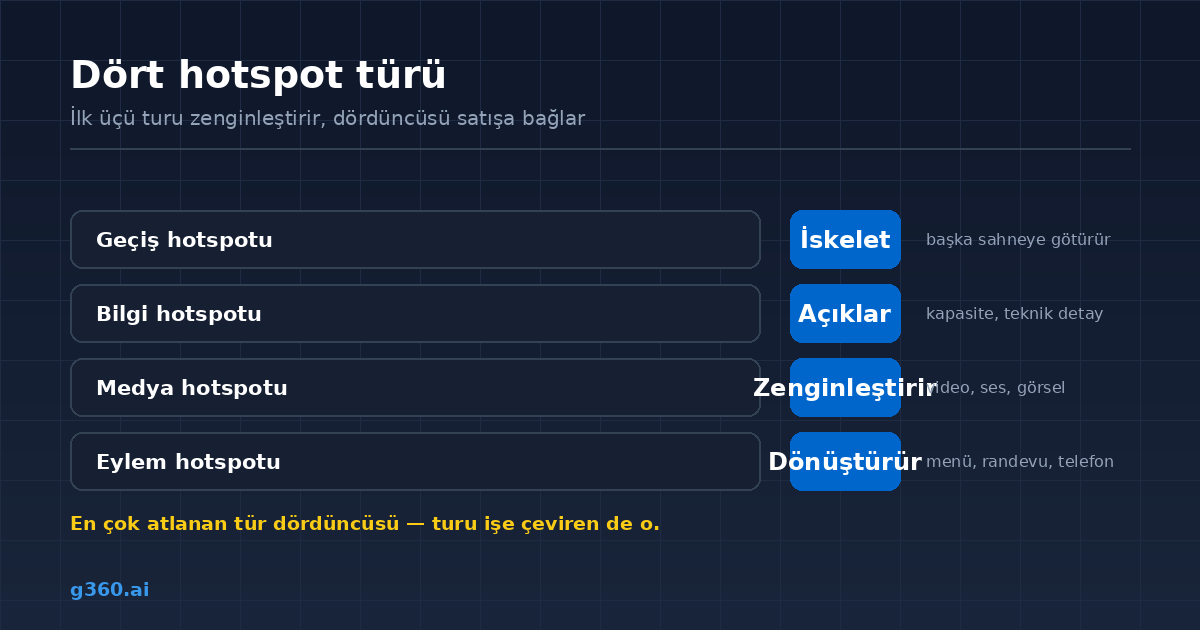
Four types are used:
- Navigation hotspot: takes visitors to another scene. This is the backbone of the tour.
- Info hotspot: opens a box with text or an image, such as "This hall seats 60."
- Media hotspot: plays a video, audio, or an extra image.
- Action hotspot: sends visitors out of the tour to a menu, booking page, phone number, or directions.
The first three enrich the tour. The fourth connects the tour to sales, and it is the type most businesses use least.
Navigation hotspots: the backbone of the tour
Navigation hotspots decide how visitors move through the space. The rule is simple: follow the path people actually walk.
A tour that jumps from the entrance straight to the kitchen loses visitors. An entrance → dining room → garden sequence, on the other hand, makes visitors feel as if they have really stepped inside.
In all 1,600+ tours in our archive, the scene links were built on this logic: first we walk through the space, then we decide on the scene points.
What should go on an info card?
The job of an info hotspot is to say what the space itself cannot. Good examples:
- Capacity: "This section is suitable for private events of up to 40 people"
- Technical detail: "The hall is soundproofed"
- Service note: "There is a baby changing station in this area"
- Product information: "This sofa set comes in three fabric options"
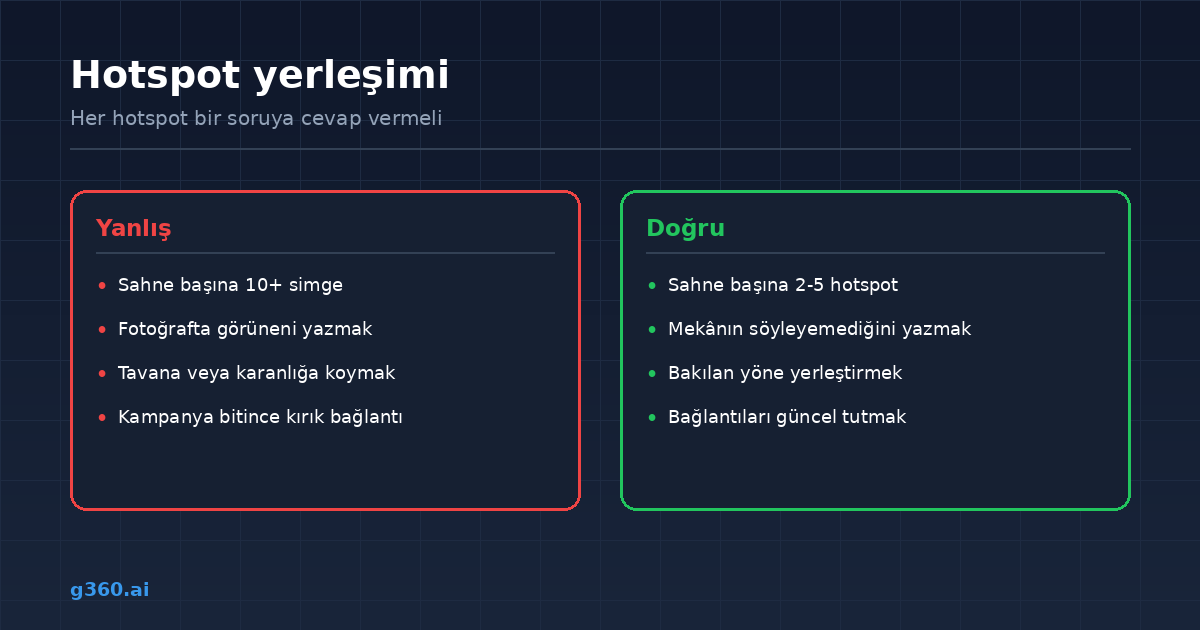
A bad example is writing what is already visible in the photo. A line like "This is the waiting area" adds nothing.
Action hotspots: the part that drives business
This is the most skipped type, yet the most useful one. Typical uses by industry:
- Restaurants and cafes → digital menu, reservations, takeout orders
- Hotels → room booking page, room type comparison
- Stores and showrooms → the product's e-commerce page
- Clinics and beauty salons → appointment line, WhatsApp
- Real estate → listing details, contact form
These take the tour beyond promotion and turn it into a conversion tool. We cover industry examples in our restaurant virtual tour and hotel virtual tour guides.
How many should there be?
2–5 hotspots per scene is usually the right range.
With too few, the tour feels static and visitors do not know what to do. With too many, the screen turns into a crowd of icons and visitors click none of them, because too many choices create indecision.
The rule of thumb: every hotspot should answer a question. If it does not answer any question, that hotspot is one too many.
How mobile is different
Most tours are opened on phones, and touchscreens behave differently:
- The target area must be big enough for a finger
- Hotspots should not be too close to each other
- Fewer should be used than on desktop
- The info box that opens should not cover the whole screen
Can they be changed later?
Yes, and that is an important advantage. Hotspots are a separate layer on top of the panorama. When your menu changes, a campaign starts, or you switch booking systems, no new shoot is needed; only the link is updated.
This is one of the features that make a virtual tour a long-lasting digital asset.
Common mistakes
- Putting the same hotspot in every scene, because repetition wears visitors out
- Writing long paragraphs on info cards, because nobody reads them and 1–2 sentences are enough
- Leaving broken links, because an action hotspot goes dead when a campaign ends
- Placing a hotspot where nobody can see it, because visitors will not find it
The last one is the sneakiest: a hotspot placed on the ceiling or in a dark corner never gets clicked. The right spot is wherever visitors naturally look.
In short
A hotspot is the silent salesperson of a virtual tour. When it is set up properly, visitors do more than look around the space: they check the menu, book an appointment, and call.
For the visibility of tours on Google, see our guide to showing the inside of your business on Google Maps.
Frequently Asked Questions
It is a clickable point inside the tour. It can take visitors to another scene, open an info box, play a video, or send them to an external page.
In practice, four types are used: navigation (takes visitors to another scene), info (opens text or an image), media (video, audio, or 3D content), and action (an external link such as a menu, booking page, or phone number).
Usually 2–5 is enough. Beyond that, visitors cannot decide which one to click, and engagement drops.
Yes. Hotspots are a separate layer placed on top of the panorama, so they can be updated without a new shoot.
Yes. Usually an action hotspot links to a digital menu, a price page, or a booking form.
Yes. On a touchscreen, though, the target area needs to be big enough, so fewer and more visible hotspots are preferred than on desktop.
They have no direct ranking effect, but they increase how long visitors stay in the tour. Time spent on the page is a signal with indirect value.
Yes. Using icons that match the business's colors and visual style makes the tour look professional and on-brand.
A Professional Virtual Tour for Your Business
Give your customers an unforgettable experience with a 360° virtual tour.
Get a Free Quote