Virtual Tour Guide for Schools and Universities
Parents will not decide without seeing the school, and prospective students are curious about the campus. How do you build a tour that works during enrollment season?

Use the buttons below to get an AI summary of this article.
Virtual Tour Guide for Schools and Universities
Choosing a school is one of the decisions families think about the longest. Parents do not trust the photos in a brochure; they want to see the school. Prospective students are curious about the campus, especially if they are coming from another city.
Both are asking the same question: what is this place really like?
From our archive
Education is a small but instructive part of our portfolio. So far, we have shot 19 educational institutions in 7 provinces and 9 districts. Eight of these come from a single university campus: the campus itself, the school of foreign languages, the faculties of architecture and engineering, the faculty of sports sciences, the library, research laboratories, and the student clubs center.
This experience showed us one thing: for educational institutions, a tour should be built as a campus, not as a single venue. Prospective students are not asking "what is the university like"; they are looking for their own department's building, lab, and library.
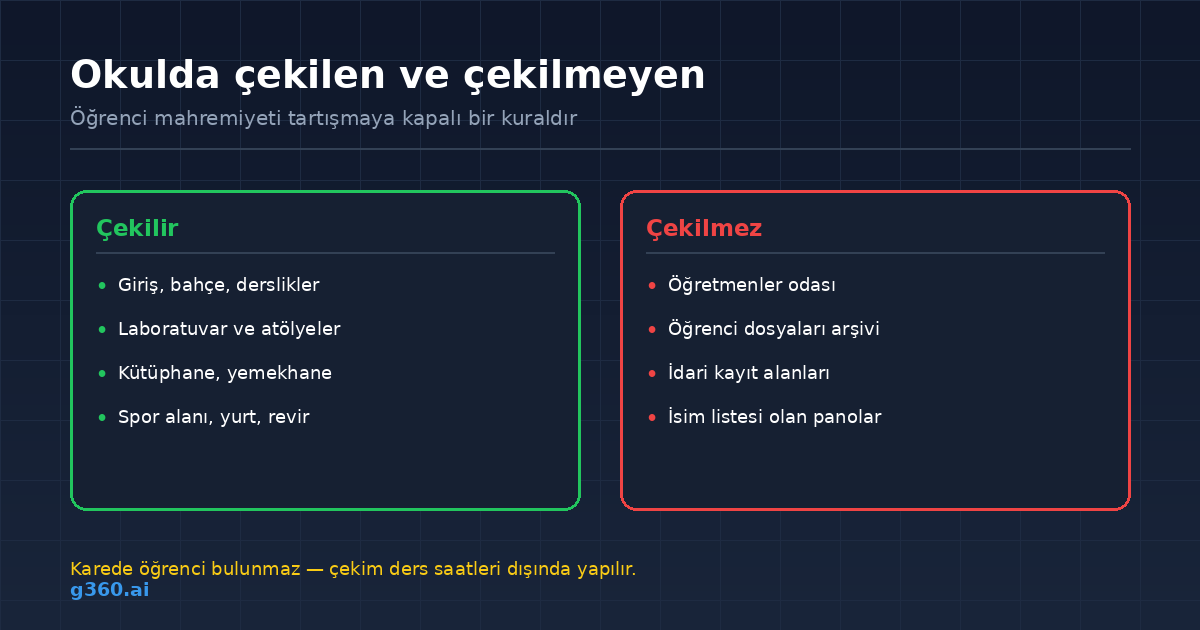
Which areas are shot?
- Entrance and grounds: first impression and sense of safety
- Classrooms: the most viewed area
- Laboratories and workshops: show the quality of the equipment
- Library and study areas
- Dining hall and cafeteria
- Gym and sports fields
- Dormitory or boarding house: if there is one, critical for students from out of town
- Infirmary and counseling office: a trust factor for parents
Not shot: the teachers' lounge, archives holding student files, administrative records areas, and boards displaying lists of names.
Student privacy
This requires the same care as clinic shoots, and there is one non-negotiable rule: no students in the frame.
The reason is twofold. The first is personal data; the second is the life of the tour. A student in a frame shot today would still be there years later.
In practice:
- The shoot is done outside class hours, during holidays, or on weekends
- Lists with names are taken down from boards
- Student lockers in classrooms are closed
- Every frame is checked one by one before publishing
Number of scenes
For a school with a single building, 8-16 scenes is common. What decides it is not square meters but the number of distinct functional areas. Shooting all five of five identically furnished classrooms only makes the tour longer; two are enough.
On multi-building campuses, extra scenes are needed for each building and for the outdoor areas between buildings. The full calculation logic is in our virtual tour pricing guide.
Timing: plan around the enrollment calendar
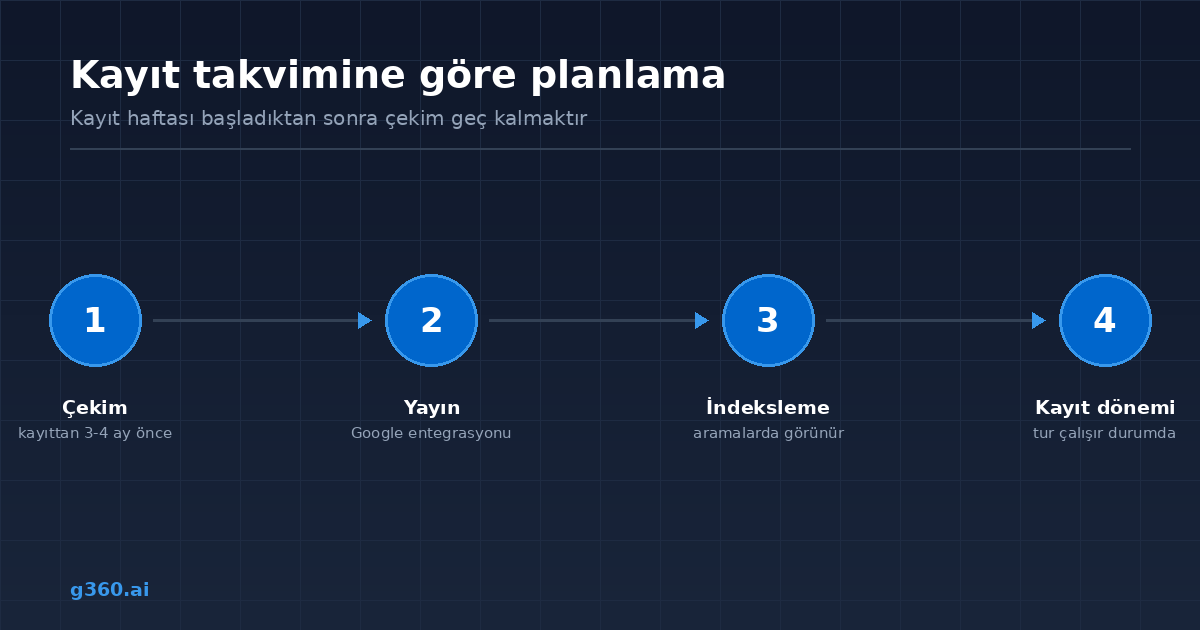
The biggest difference with virtual tours in education is that they are a seasonal tool. When enrollment season arrives, the tour should already be live.
The right order:
- Shoot 3-4 months before enrollment season
- Publishing and Google integration
- Use on the website, in emails, and on social media during enrollment season
Getting the shoot done after enrollment week has started means you are too late; it takes time for Google to index the tour.
The shoot also needs a time when the school is empty, which is why the mid-year break and summer are ideal.
Where should you use the tour?
- School website: embedded on the enrollment and information page
- Google Business Profile: visible in searches for "school," "preschool," and "university"
- Enrollment emails: a link in the information sent to parents
- WhatsApp: a single link to answer parents' questions
- Open days: for those who cannot attend in person
We explain the embedding and publishing steps in our guide on embedding a virtual tour on your website.
Why preschools are different
Preschool is where a virtual tour works best in education. Parents do not want to decide without seeing the environment where they will leave their child, and visiting the school in person is not always possible.
The areas that stand out here are different: the nap room, play area, toilet and sink layout, kitchen, and garden safety. The impression of cleanliness and safety comes before the curriculum.
In short
In education, a virtual tour is a tool that works during enrollment season. If it is shot at the right time, shows the right areas, and protects student privacy, it convinces parents before they even visit the school.
We describe a similar privacy approach in our clinic virtual tour guide.
Frequently Asked Questions
The entrance and grounds, classrooms, laboratories and workshops, library, dining hall, sports areas, and dormitory or boarding sections if there are any.
No. The shoot is done outside class hours, when no students or staff are present. This is necessary both for privacy and for the tour to stay usable for a long time.
Yes, and demand is high. Parents want to see the environment where they will leave their child in advance; the impression of safety and cleanliness is decisive here.
For a school with a single building, 8-16 scenes is common. On multi-building campuses, extra scenes are added for each building and outdoor area.
A few months before enrollment season. By the time the tour goes live and is indexed on Google, application traffic will have started.
Yes. The grounds, campus paths, and sports fields are included in the tour as outdoor scenes.
It is embedded on the school website, published on the Google Business Profile, and added as a link to enrollment emails and WhatsApp messages.
Yes. Faculties, laboratories, and practical training units can be shot separately, and prospective students can be directed to the department they are interested in.
A Professional Virtual Tour for Your Business
Give your customers an unforgettable experience with a 360° virtual tour.
Get a Free Quote