Virtual Tour Software or a Professional Shoot? The Real Difference
Phone apps and software give you a single 360 photo, not a connected tour that people can walk through. We explain the difference and how G360 handles the job from start to finish.
Use the buttons below to get an AI summary of this article.
Virtual Tour Software or a Professional Shoot? The Real Difference
Many business owners who search for “virtual tour software” are really looking for a way to let customers walk through their venue. Phone apps and the software that comes with 360 cameras look like an easy answer. But what these tools give you is a single 360 photo, not a virtual tour. In this guide we explain the difference, what turns a set of photos into a virtual tour, and how G360 takes care of the whole job from start to finish.
What do apps and software actually give you?
Phone apps and the programs bundled with 360 cameras produce one image that shows everything around the spot where the camera stood. You can drag it with your finger and look left, right, up and down. But you cannot take a single step forward; you cannot walk through the door into the next room or out onto the terrace. What you end up with is a nice 360 photo, not a virtual tour that people can explore.
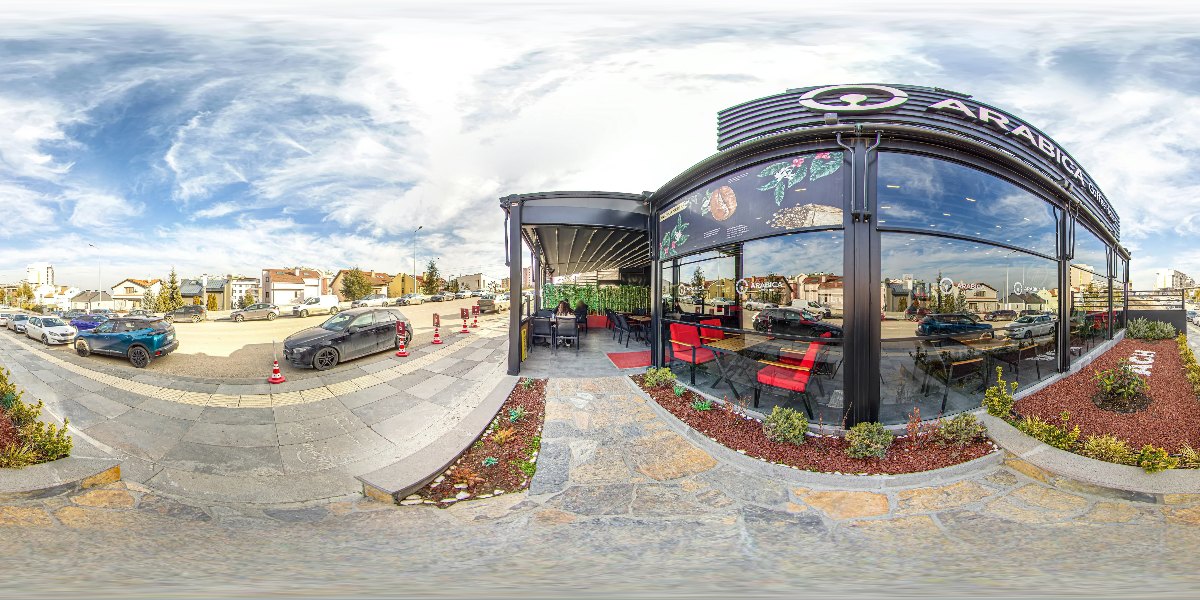
The image below is one such 360 photo, unwrapped flat. The whole terrace and street in front of the café fit into one frame, but the frame does not lead anywhere else.
What is the difference between a 360 photo and a virtual tour?
A 360 photo is one frame taken from one point. A virtual tour is built by linking 360 photos taken from every important point in the venue. Visitors move from the entrance to the dining room and from the dining room to the garden, and at every step they know where they are.
Take an example. The Kaburgacı Yaşar Usta tour in Adana has 27 scenes. Each scene is a 360 photo taken from a different point, and the tour is those scenes linked in the right order and facing the right way. Deciding where the camera goes, which point connects to which and at what angle each arrow sits is specialist work that is planned before the shoot.
What makes a virtual tour a virtual tour?
Several parts work together to carry visitors through a virtual tour:
- Navigation arrows: visitors tap an arrow on the floor and move to the next point.
- Scene map: shows which points the tour is made of and where the visitor is standing right now.
- Menu and categories: take visitors straight to sections such as the lobby, the rooms or the restaurant.
- Info points: add short notes next to a table, a room or a service.
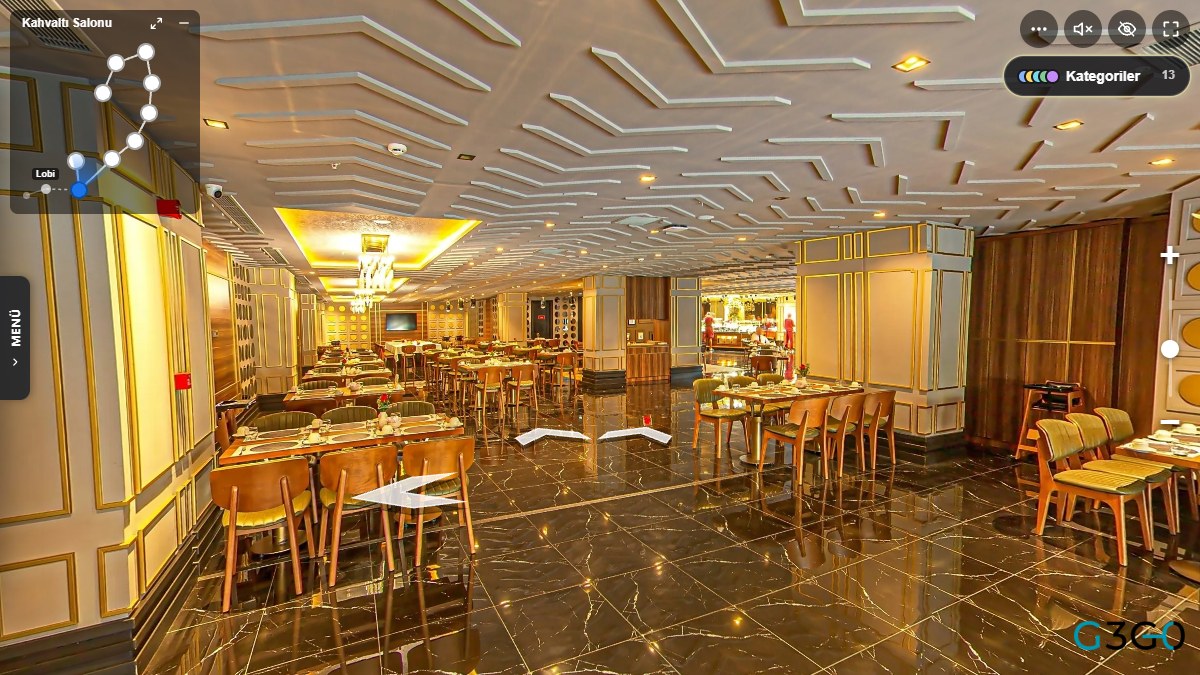
The image below was taken directly from the G360 tour player. The small map in the top left shows how the points in the breakfast room are connected, and the white arrows on the floor point the way to the next spot.
None of these parts appear by themselves in a 360 photo taken with a phone. Arrows that face the right way, a map that matches the real floor plan and transitions that feel natural are what decide the quality of a tour. In the Ramada by Wyndham Erzurum tour, 77 scenes were linked with exactly this care.
Publishing on Google Maps and showing the tour on your website
The real value of a virtual tour is that it appears where customers are already looking for you. Tours shot by G360 are published on the business's Google Maps profile, and every tour also gets its own page on g360.ai. When customers find you on the map, they can walk through your venue as if they had stepped inside. We explain the Google side in detail in our guide to the Google Street View business tour.
You can see how a finished tour is added to a website in our guide to embedding a virtual tour on your website. A single 360 photo taken with a phone sets up none of these links. On a Google profile it simply stays as one more frame among the other photos.
Why is the gap bigger in large venues?
In large venues such as hotels, shopping centres and hospitals, the number of scenes grows quickly. The Radisson Blu Hotel Diyarbakır tour has 101 scenes. Its lobby, rooms, meeting rooms and corridors are linked so that guests can move around the hotel without getting lost.
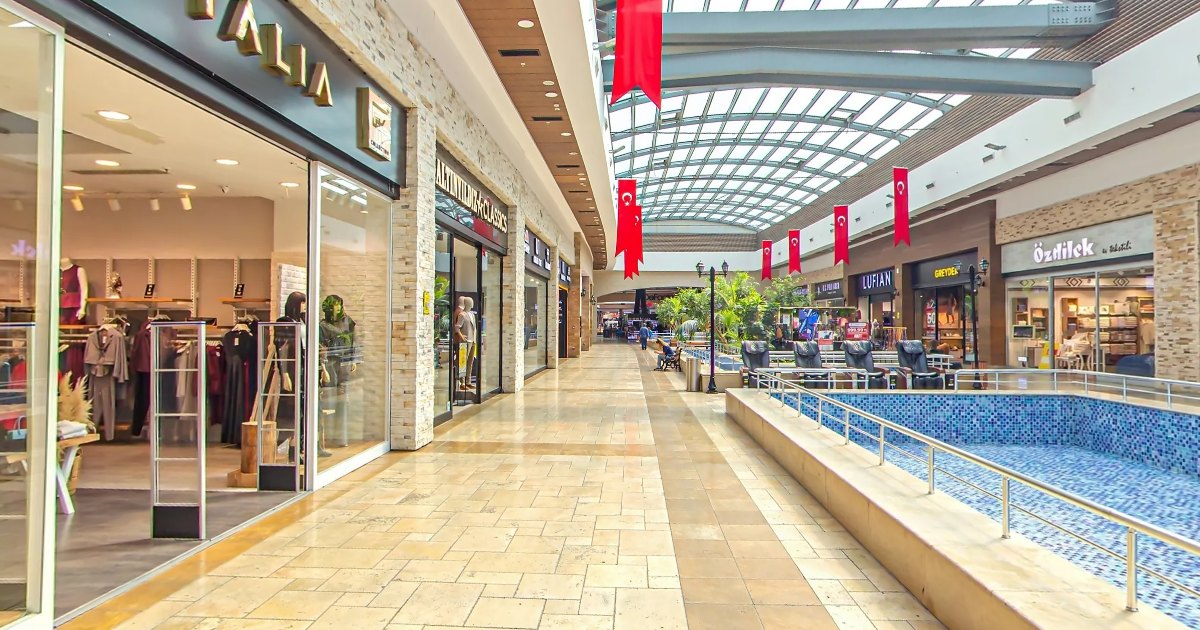
The Highway Outlet AVM tour in Bolu leads visitors along the shop corridors in 11 scenes, and the glass-roofed corridor on the cover of this article comes from that tour. In large venues, bright sunlight from the windows meets dimmer indoor light in the same frame. Balancing that difference and joining the photos without visible seams takes extra care both during the shoot and during stitching. We cover the stitching stage in our article on panorama stitching.
What is a 360 photo taken with a phone good for?
A single 360 photo is a nice way to share a moment on social media or to quickly show one corner of a room. But it does not let customers get to know your business as if they were walking in through the door. A virtual tour starts with a plan of the venue and a choice of shooting points. Then every point is shot with professional equipment, the photos are stitched, and all the points are linked together.
G360 handles this whole process. All you need to do is pick a convenient day for the shoot and have the venue ready. If you are curious about the camera, lens and tripod we use, take a look at our guide to virtual tour equipment.
How is the price set?
Google Business Profile is free, so you do not need to pay anyone for your business to appear on the map. With G360, payment for a virtual tour is one-time and there is no monthly fee. You can find current prices on our pricing page.
Where can you see real examples?
An easy way to understand what a virtual tour is, is to explore a few real ones. On the virtual tours page you can browse, province by province, more than 1,600 tours that G360 has shot in 55 provinces since 2018. For example, the Ankara page lists 276 tours.
The Arabica Coffee House Beysukent tour in Ankara has 10 scenes. The Ramada by Wyndham Karapınar Konya tour shows the hotel's lobby, rooms and shared areas in 49 scenes. For examples by sector, visit our portfolio page.
Conclusion: software gives you a photo, G360 makes the tour
Virtual tour software and phone apps give you a single 360 photo. A virtual tour that people can walk through, that is published on Google Maps and that can be shown on your website takes planning, a professional shoot, stitching and linking the scenes together. G360 does all of this work. To see the process step by step, read our guide on how to get a virtual tour made. To get a site visit and a quote for your venue, reach us through our contact page.
Frequently Asked Questions
No. This software and phone apps produce a 360 photo taken from a single point. A virtual tour is made of many linked points, and G360 plans the tour, shoots it and links the scenes.
No. In a 360 photo taken with a phone you can look around, but you cannot move to the next room. A virtual tour has navigation arrows, a scene map and a menu, and these need a professional shoot and setup.
A 360 photo is a single frame seen from one point. A virtual tour links 360 photos taken from different points of the venue with navigation arrows, so visitors can move around inside.
G360 prepares the virtual tour from start to finish. The site visit, the shoot, stitching the photos, linking the scenes and publishing on Google Maps are all part of the job.
Tours shot by G360 are published on the business's Google Maps profile. Google Business Profile is free, and every tour also has its own page on g360.ai.
Yes. Every tour has its own page on g360.ai, so it can be added to your website with a link or an embed. You can find the details in our guide to embedding a virtual tour on your website.
With G360, payment is one-time and there is no monthly fee. You can find current prices on our pricing page.
You can explore example tours province by province on g360.ai/sanal-tur and sector by sector on g360.ai/portfolyo.
A virtual tour for your business
We photograph your hotel, restaurant, shop or clinic in 360° and add the tour to Google Maps and your website.
Get a free quote