Virtual Tours for Multi-Branch Businesses: How Every Branch Is Shot
If you run several branches, we shoot them all with a shared layout and publish each tour on that branch's own Google profile. Explained with the Aspava example.
Use the buttons below to get an AI summary of this article.
Virtual Tours for Multi-Branch Businesses: How Every Branch Is Shot
Yes, if you have several branches, we can shoot all of them in the same way. We approach every branch with a shared shooting plan and publish each tour on that branch's own Google Maps profile, so whichever branch a customer looks at, they see a consistent face of the same brand. Each tour also gets its own page on g360.ai under an address starting with /vr/.
At G360 we have been shooting 360 degree virtual tours for businesses since 2018, and so far we have produced more than 1,600 tours. A good share of them are venues that resemble each other or share the same name or concept. Below we explain how a shoot is planned for a multi-branch business, what a shared layout covers, and how it works in practice at restaurants operating under the Aspava name.
Why does a multi-branch business need a shared layout?
When we shoot a single venue, the main goal is to show that space as clearly as possible. For a business with branches, another goal is added: customers should feel they are inside the same brand as they move between branches. If the tour opens at the entrance in one branch and next to the kitchen door in another, or if the light looks warm in some places and cold in others, the brand impression quietly falls apart.
A shared layout prevents that. Whichever branch's tour a customer opens, they find a similar starting point, a similar navigation order and a similar image quality. It helps the business owner too: comparing branches, introducing a new location or pointing customers to the nearest branch all become easier.
We recommend a similar approach for retail chains; we describe how store layouts are presented in a tour in our guide to virtual tours for stores.
What does shooting every branch the same way mean in practice?
A shared layout does not mean every branch will look identical. Each venue has its own size, seating plan and facade. We keep those differences while holding the skeleton of the shoot steady. That skeleton usually includes:
- Starting point: The tour opens from the same type of scene at every branch, most often the entrance or the facade.
- Navigation order: Areas such as the entrance, the main hall, a terrace or upper floor if there is one, and the counter or service area are linked in a similar order at each branch.
- Light and colour: We shoot every branch with the same lighting approach; we cover this in detail in our article on lighting in 360° shoots.
- Camera height and framing: Scenes are captured from a similar eye level, so a customer moving between branches always sees the same perspective.
- Naming: Tours are named after the branch and its district, which makes branches easy to tell apart both on Google Maps and on g360.ai.
We settle this framework with you before the shoot. The layout that takes shape at the first branch becomes a shared template, and every later shoot follows it.
The Aspava example: 46 tours in 9 cities
We have seen most clearly how a shared layout works on location at restaurants that carry the Aspava name. So far we have shot 46 tours at venues operating as Aspava in 9 cities. These venues differ quite a lot in size, floor plan and seating, yet when you open their tours you see a similar opening and a similar way of moving through the space.
A few examples:
- Aspava Trabzon, in the Yomra district of Trabzon, is a large tour made up of 15 scenes.
- Akkaya Aspava YDA, in Yenimahalle, Ankara, shows the different parts of the venue in 11 scenes.
- Meşhur Özçelik Aspava Çukurambar, in Çankaya, Ankara, consists of 9 scenes.
- Yıldız Aspava Balgat and Şimşek ASPAVA Sezenler, also in Çankaya, are more compact tours of 5 scenes each.
The number of scenes varies, but in every tour the customer starts at the entrance and walks through the dining areas in order. For more restaurant examples, take a look at our restaurant portfolio; we have shot 503 tours in this sector.
Why does each branch need its own Google profile?
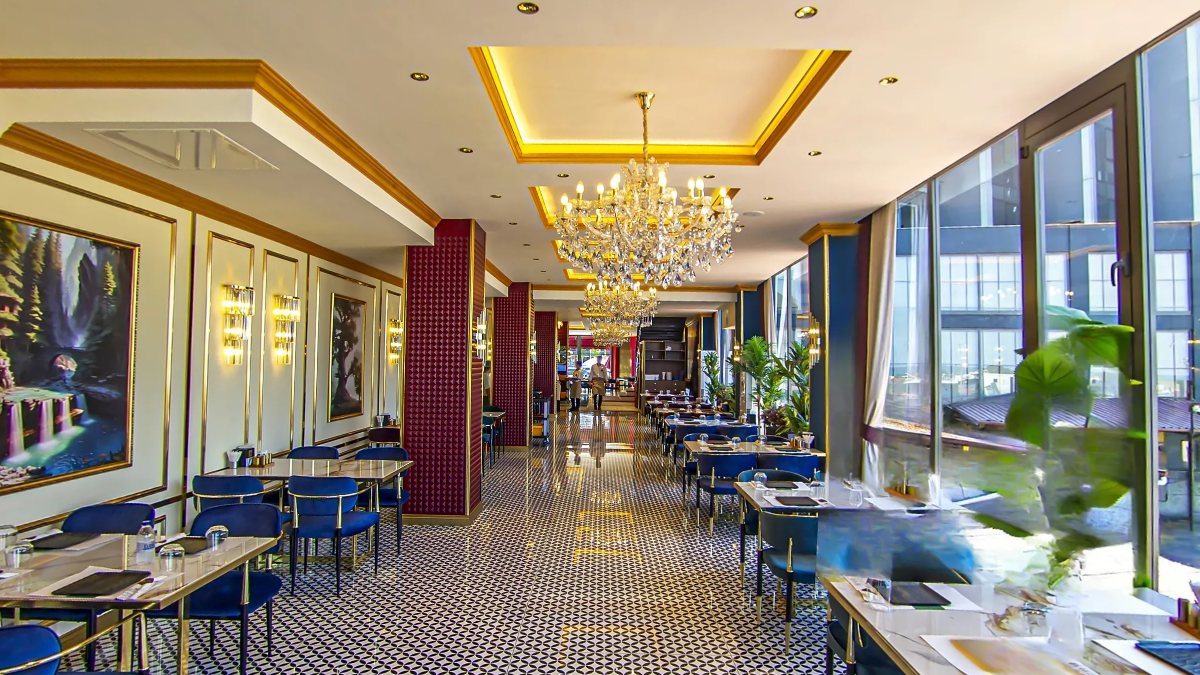
A question we often hear from multi-branch businesses is whether a single tour can be used for every location. A customer searches for a specific address on Google Maps and opens that address's profile; they expect the photos and the tour there to genuinely belong to that branch. That is why we shoot each branch separately and publish its tour on that branch's own profile.
This approach has some practical benefits:
- Customers see the entrance, tables and dining room of the branch they are about to visit, and are not misled by images from another location.
- Each branch's tour has its own /vr/ address on g360.ai, which you can share on the branch's web page, in booking messages or on its social media accounts.
- If a branch is renovated or moves, only that branch's tour needs attention.
It would not be right to make firm claims about how a virtual tour affects visibility on Google; we discuss the topic more broadly in our article on what businesses that stand out on Google have in common. As your number of branches grows, so may the phone calls about profile management. The Google Business Profile is free, and we suggest reading our warning about callers claiming to be from Google.
How does a customer explore a branch's tour?
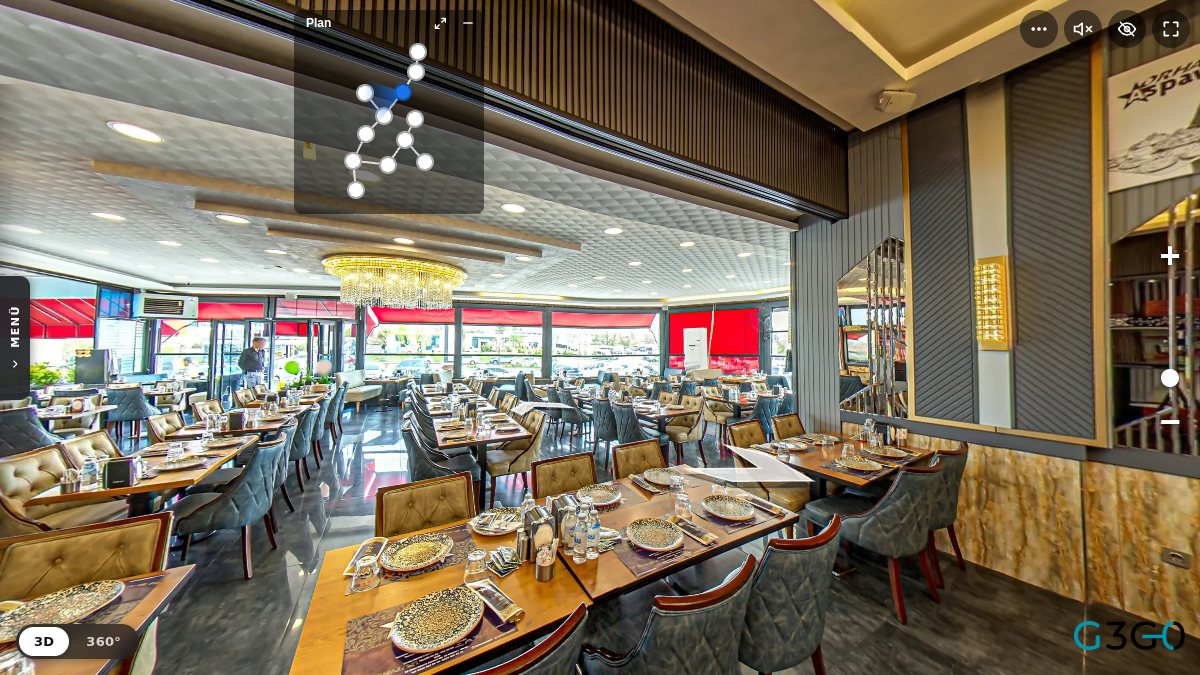
A customer who opens a branch's tour starts in the opening scene, usually at the entrance or in front of the venue. By tapping the transition arrows on screen, they move into the dining room and on to other areas, and in every scene they can look around a full 360 degrees. Because the scenes are linked, it feels as if they are actually walking through the venue.
Orhan Aspava is a good example. This tour in Çankaya, Ankara has 12 scenes; the customer can start at the facade, step into the dining room and then move to its different corners.
This is where a shared layout pays off again. A customer who opens the tour of another branch of the same brand sees that the arrows and the order of scenes follow a similar logic, so they don't have to figure out the tour from scratch.
How do branches of different sizes fit the same layout?
A shared layout does not mean a fixed number of scenes. A small branch can be fully shown in 5 scenes, while a branch with several halls or a terrace may need 15. The Aspava tours show this difference clearly: venues under the same name have tours of 5, 9, 11, 12 and 15 scenes.
We decide the number of scenes based on what each branch actually needs; what stays the same is the starting point, the navigation logic and the visual style. That way a small branch doesn't look incomplete and a large branch doesn't look scattered. During the site visit we look at each branch's plan and talk with you about which areas must be shown.
How do publishing and upkeep work as you add branches?
At G360, payment for a virtual tour is a one-time fee; there is no monthly charge. This means no subscription burden that keeps growing as you open more branches. We explain how long tours stay online in detail in our guide on this topic.
When you open a new branch, we can shoot it in the same layout, so it doesn't look out of place next to your existing locations. You can browse the tours we have shot across different provinces on our virtual tours by province page.
Where to start with all your branches
To get started, simply share a list of your branches and the approximate size of each with us. We will agree on the shared shooting layout together and plan the order in which the branches are shot. For a quote or a site visit you can reach us through our contact page, and for pricing you can visit our pricing page.
Frequently Asked Questions
Yes. Before the shoot we agree with you on the starting point, the navigation order and the lighting approach, and we apply that framework at every branch. The venues differ, but the tours look like parts of the same brand.
We don't recommend it. A customer who opens a specific branch's profile on Google Maps expects to see the inside of that branch. That is why we shoot each branch separately and publish the tour on its own profile.
No. The number of scenes depends on the size and layout of each branch; the Aspava tours range from 5 to 15 scenes. What stays the same is how the tour opens and how it is navigated.
We shot 46 tours at restaurants operating under the Aspava name in 9 cities. For instance, the tour in Yomra, Trabzon has 15 scenes, while Orhan Aspava in Çankaya, Ankara has 12.
At G360, payment for a virtual tour is a one-time fee and there is no monthly charge. You can find current pricing on our pricing page.
Yes. The layout we agreed on for your earlier branches stays as a template. We shoot the new branch to that template so it fits in with the rest.
No, the Google Business Profile is free. As your number of branches grows, we recommend being careful with callers who claim to represent Google and ask for payment.
A virtual tour for your business
We photograph your hotel, restaurant, shop or clinic in 360° and add the tour to Google Maps and your website.
Get a quote